Do you want to delete your myBenelli account?
We're sorry to see you go.
If you still want to delete your account, follow these steps:
- from the app's Home screen, open the side menu;
- tap Settings;
- on the next screen, tap "Profile settings";
- now scroll down the page and, below the mobile number box, tap "Delete Account";
- select "Yes, I want to delete my myBenelli account" and then tap "Delete account";
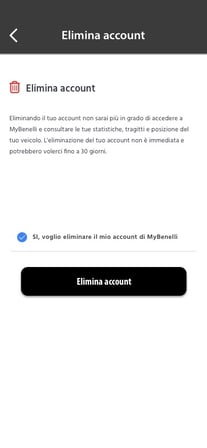
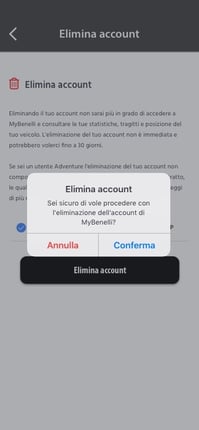
- in the pop-up that opens, tap "Confirm" to complete the operation.
Once the procedure is complete, you'll see the confirmation message "Request Sent"; then tap "Back to profile" to return to the Home screen.
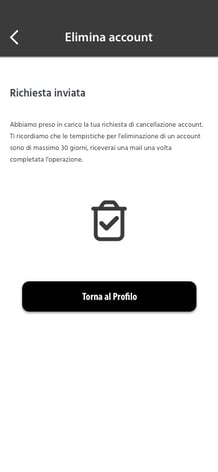
Please note that deleting an account takes up to 30 days. You'll receive a confirmation email once the operation is complete.