Your details
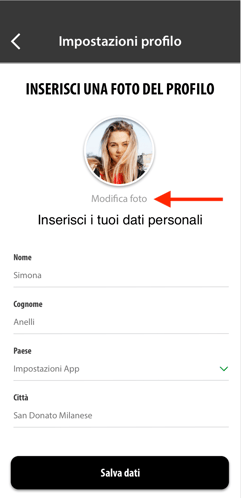
Go to Settings > Profile settings: you can change your first name, surname, province and town. When you've finished, tap Save details.
Your profile photo
You can change it in two ways:
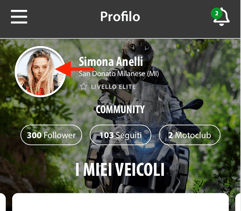
- From the Home screen, tap your profile picture, then edit at the top right: you can upload a photo or take one there and then.
- From Settings > Profile settings, tap Edit photo.