If you've already downloaded myBenelli, you can go ahead and create a free account: all you need is your email address. In this article we explain how.
Want to log in to myBenelli directly with your Facebook, Google or Apple account?
Go to Logging in with Facebook, Google or Apple ID and follow the steps given.
Create a myBenelli account with your email:
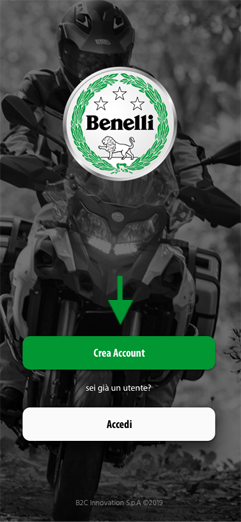
- click Create account on the app's main screen
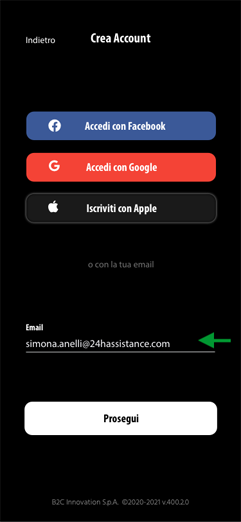
- enter your email address
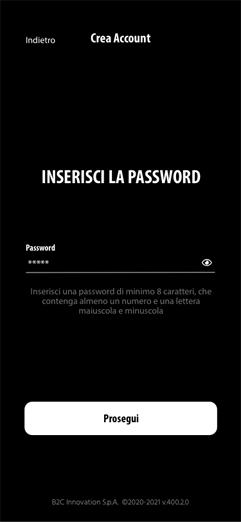
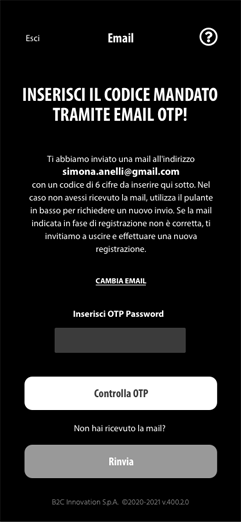
WARNING! The email address you enter must be valid, otherwise you won't be able to activate your myBenelli account. Your email is also your username for logging in to the app and the contact we send B-Box alerts and service communications to. If you mistyped it, you can correct it directly on the screen where you're asked for the OTP code. - set the password you want to use to log in to myBenelli
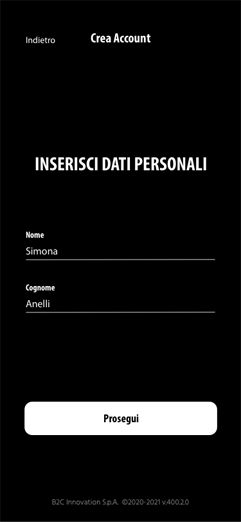
WARNING! The password must contain at least 8 characters, including at least one capital letter and one number - enter your personal details (first name and surname) and your Country of residence
- set your communication preferences and accept the terms and conditions
- now check your inbox and enter the OTP code on the last screen to activate your myBenelli account
Now that you're registered, you can link your bike to your account!