In the Maintenance section you record the maintenance jobs already done and those scheduled, so you always have your bike's history.
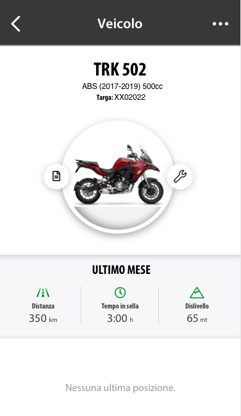
How to open it. From the Home screen, tap the photo of your bike, then the Maintenance icon.
icon.
Adding a maintenance job
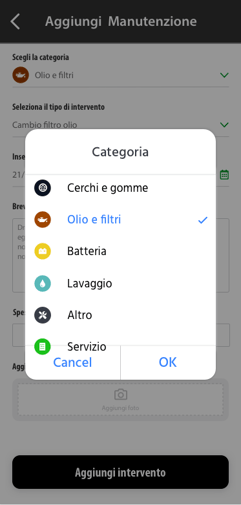
- Tap the + icon.
- Choose the category: battery, tyres, brakes, filters and fluids, washing, service, other.
- Enter the information and save. You can also attach a photo, for example the workshop invoice.
Viewing maintenance jobs
In the section you'll find all the recorded maintenance jobs, past and scheduled. If the list is long, use the month and year filters.
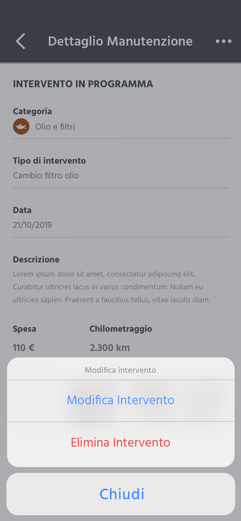
Editing or deleting a maintenance job
- Open the maintenance job from the list. If you can't find it, change the period with the filters.
- Tap the options
 icon at the top right and choose whether to edit or delete it.
 - To save your changes, tap Edit maintenance job.