Where your trips are
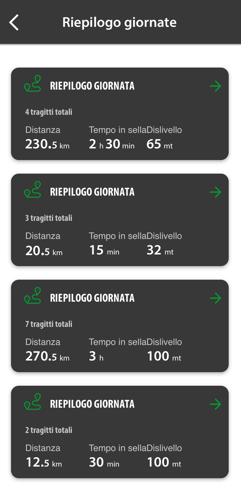
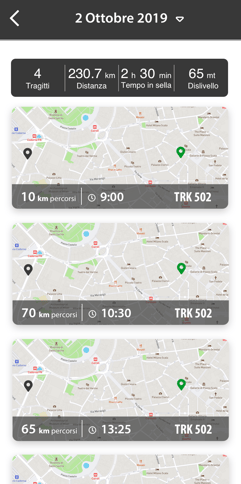
From the myBenelli Home screen, tap Trips. Your rides are organised by day: select a day to see the individual trips.
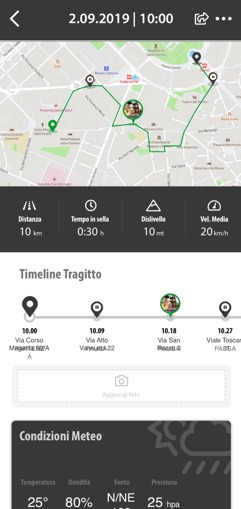
What you'll find in a trip's details
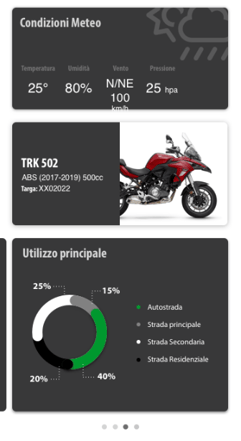
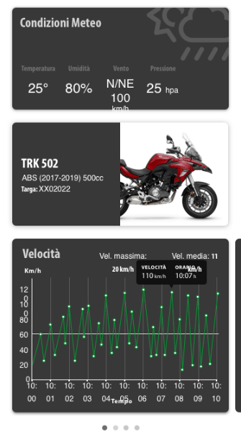
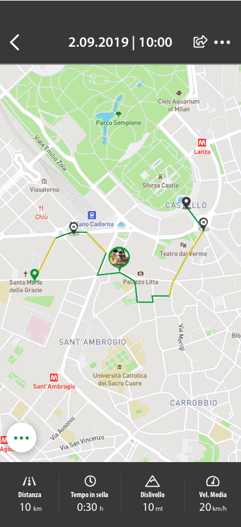
- Departure and arrival time, distance, time, average speed and weather.
- The speed and elevation charts.
- The route drawn on the map.
Sharing a trip
From the trip screen, tap the share icon at the top right: the screen with the options opens.
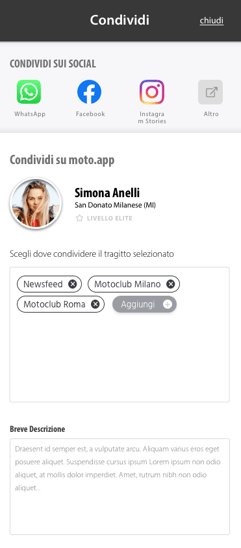
On social networks. Select the social network you prefer: an image is generated with the key data from the ride, then follow the social network's instructions.
On the Newsfeed. Tap Add and select Newsfeed.
In a Motoclub. Tap Add: the list also includes the Motoclubs you belong to, and you can choose more than one. Add a description if you like, then tap Publish.
myBenelli never makes your trips public unless you want it to. Viewing restrictions may apply depending on your privacy level.
Deleting a trip
- Open the trip details.
- Tap the three dots at the top right.
- Select Delete trip.
Please note: a deleted trip can't be recovered.